 HappyMod






















What Is HappyMod?
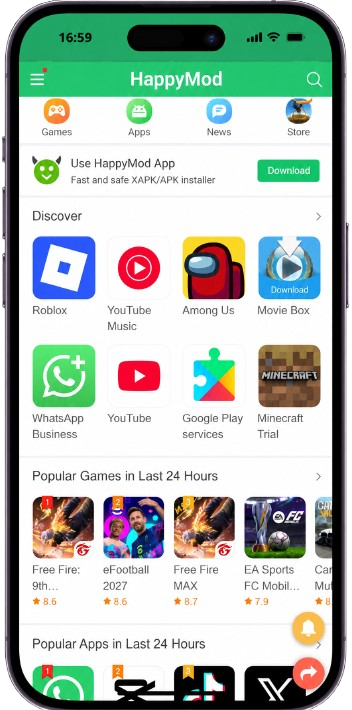
HappyMod is an Android application platform offered by third-party developers. Its main focus is modified versions of apps that companies have already launched. A mod version is a modified APK file. In that version, premium features are unlocked so people can use them without paying.
A modified version may include the following features:
- Unlimited coins
- Unlimited gems
- Unlocked characters
- Unlocked levels
- No advertisements
- Extra game features
- Modified game menus
- Increased resources
- Premium features
HappyMod APK vs. Google Play Store
The main difference is the type of software each one distributes. The Google Play Store is the official source for original Android applications. HappyMod is aimed at people looking for premium features through mod versions.
| Feature | HappyMod | Google Play Store |
|---|---|---|
| Original Android apps | Yes, depending on listing | Yes |
| Modified APKs | Main focus | Never |
| Unlocked features | Available | Not available |
| Unlimited game resources | Available | Not available |
| Third-party APK installation | Yes | No need |
| Developer-controlled distribution | Not always | Yes |
| Community feedback | Common | Reviews and ratings |
| Official source | Third-party websites |
What Does MOD APK Mean?
MOD APK stands for a modified Android package. It is a changed version of the original application. The original APK is unpacked, edited so locked premium features are open, and packed again as a mod version.
Not every mod version has the same features. Each build carries different changes, so read the mod description before you download it.
Why Do People Use HappyMod?
1. Unlocked features
Premium features are unlocked. People who cannot pay for a subscription look for HappyMod for that reason.
2. Ad-free apps
Ads that sit inside the original application are often removed in the mod version.
3. Unlimited resources
Resources that stay limited in the original application are opened up in the mod version.
4. Extra game features
Menus, characters, levels, customization options, and other changes are added.
5. Older app versions
Older modified APKs stay in the library when the latest version is incompatible or has issues.
6. Apps missing in a region
Some apps are restricted by region. HappyMod is used by people who cannot find those apps locally.
Is HappyMod Safe?
Mod versions are made by third-party developers who edit the original APK, so security issues are possible. That does not mean every file is harmful. Check these points before you install:
- APK source
- App version
- Modification details
- Requested permissions
- User comments
- Upload and update date
- File reputation
- Antivirus results
- Whether the app behaves normally after installation
Do not allow unnecessary permissions. A file that asks for more than the original app needs may not be secure.
Does HappyMod Require Root?
Most Android devices can install APK files without being rooted. Advanced modifications that depend on system-level changes can need extra technical requirements. Read the listing for the specific file before you install it.
How to Download & Install HappyMod APK
The download itself is simple. The source matters more. Skip APK files that claim extra features you do not need.
- Search for “HappyMod APK” in a browser such as Google Chrome.
- Select a trusted website.
- Use the Download button at the top of this page.
- Download the APK and find it in your downloads folder.
- Scan the APK file you downloaded.
- After the virus check, start the installation.
- If Android asks, allow installation from this source.
- Finish the installation with the on-screen instructions.
How to Update HappyMod APK
An outdated build can cause problems. Mod versions do not receive automatic updates the way Google Play apps do, because third-party developers publish them.
- Check whether a newer version is available.
- Confirm the version number before you install.
- Read the modification details of the newer version.
- Download the latest version from a trusted source.
- Open the installed application and confirm your data still works.
Why Are There Multiple MODs for One App?
Different developers make different versions, so each one is unique. One build may remove ads. Another may unlock premium features. The newest file is not automatically the best one. The best version is the one that has the feature you want.
Game A – MOD 1
Unlimited coins
Game A – MOD 2
Unlimited coins and gems
Game A – MOD 3
MOD menu and unlimited resources
HappyMod for Games
Modified game versions are a large part of the library. People search for builds with features such as:
- Unlimited money
- Unlimited coins
- Unlimited gems
- Free purchases
- Unlocked characters
- Unlocked weapons
- Unlocked levels
- MOD menus
- No ads
- Increased resources
Online multiplayer games can raise extra issues. A modified version may break a game’s terms of service or its anti-cheat system, and that can lead to account restrictions. A mod APK is not guaranteed to work, especially when the game depends on online servers.
HappyMod for Apps
The library is not limited to games. People look for mod versions of apps such as:
- Video editors
- Photo editors
- Music applications
- Productivity tools
- File managers
- Education apps
- Social applications
- Streaming applications
- Utility apps
HappyMod and Privacy
A normal install often asks for storage, photos and videos, microphone, camera, contacts, location, or notifications. The permissions should match what the app does. A camera app asking for the camera is expected. A calculator asking for the microphone or contacts deserves a closer look. Compare the mod version’s permissions with the original application.
Can HappyMod Be Used on iPhone?
HappyMod is built around Android APK files, so it cannot be installed on iOS. Searches such as HappyMod iOS, HappyMod for iPhone, HappyMod iPad, and HappyMod iOS download are common, but there is no standard APK installation process for iOS. Avoid sites that claim to offer HappyMod for iPhone.
Can You Use HappyMod on PC?
HappyMod is made for Android. An Android emulator is one way to open it on a Windows PC.
- Install a reputable Android emulator such as BlueStacks.
- Open the emulator after it finishes installing.
- Transfer the APK into the emulator.
- Install it inside the emulator and wait until it finishes.
- Open the app from inside the emulator.
Compatibility depends on the emulator, the Android version, and the file itself. Be wary of files simply named “HappyMod APK for PC.”
HappyMod Alternatives
Other platforms offer related services, with differences in the catalog and how files are published.
- ACMarket
- Aptoide
- APKPure
- APKMirror
- F-Droid
- Aurora Store
HappyMod vs. Other MOD APK Platforms
A larger library does not automatically mean a safer platform. These are the factors worth checking:
| Factor | Why it matters |
|---|---|
| MOD library | Number of apps and games offered |
| Update frequency | Whether latest versions appear regularly |
| User feedback | Helps surface issues and fixes |
| Version information | Helps you pick a build that fits your device |
| Security practices | Important for third-party software |
| Permissions | Can indicate suspicious behaviour |
| Download experience | Reduces invalid redirects and fake files |
| Compatibility | Shows whether the file can run on your device |
Common Problems With HappyMod APKs
The file may not match your Android version, or it may clash with a package already on the device.
Low storage, an incompatible APK, or a signature difference can stop the install.
A newer official version, or a feature that lives on a server, can leave the mod inactive.
The build may conflict with another version, or the device may not be compatible.
The connection, the browser, or the download itself may have stopped.
Online games check the client. Modified versions are often rejected by the server.
Is Downloading MOD APKs Legal?
It depends on the application, the modification, the copyright status, and who holds the distribution rights. Many modifications conflict with the original developer’s license. Some also bypass paid features. Read the terms attached to the original application before you use a mod.
Frequently Asked Questions
Is HappyMod free?
Yes. Download it and install it on your device at no cost.
Is HappyMod available for Android?
Yes. HappyMod is made for Android.
Can I download apps from HappyMod?
Yes. Apps and games are listed on this site, and each one links to the download page.
Are HappyMod apps safe?
Safety depends on the file. Check the source, permissions, and feedback, and scan downloads with security software you trust.
Does HappyMod require root?
Most apps do not need a rooted Android device. A few listings call out extra requirements.
Final Thoughts
HappyMod is a popular place to find MOD APK versions of games and apps. A mod version is an edited APK, made so paid features can be opened without a purchase. Before you install, check the version, the MOD features, the permissions, user feedback, the source, compatibility, and the file’s security reputation.